# Device Setup (Required)

## Change Adapter properties

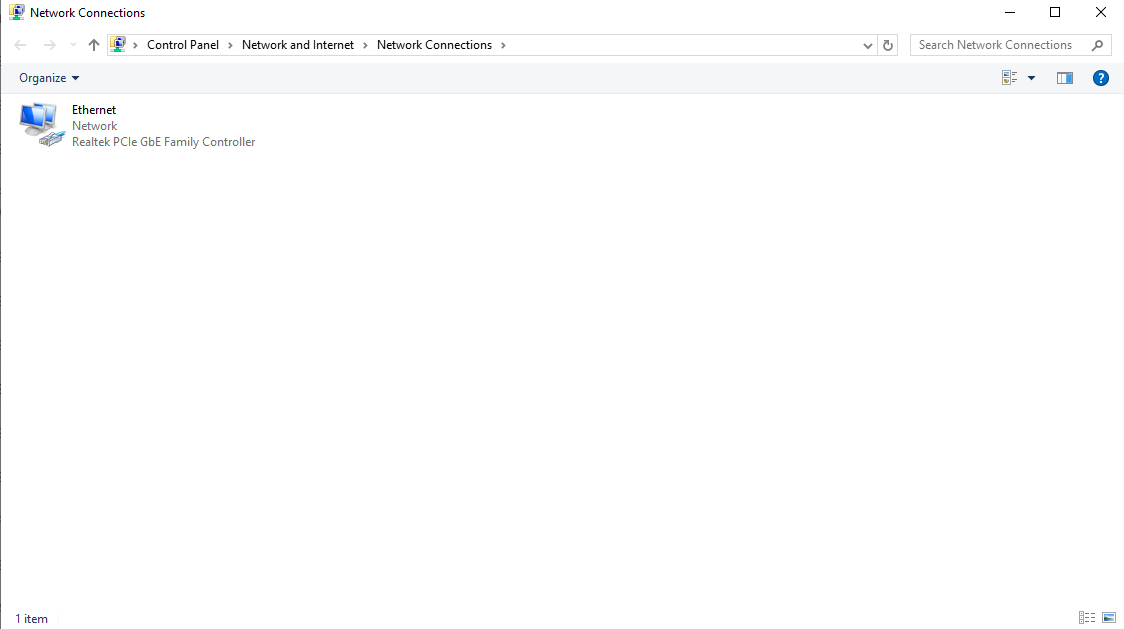
1. Press **Win + R**, type **ncpa.cpl** and click **Ok**

<figure><img src="https://content.gitbook.com/content/37LFULTB3EzOwTTC0kNR/blobs/ziTESXFdUp3HKhFGcF3r/image.png" alt=""><figcaption></figcaption></figure>

1. Right-Click your active connection and click on **Properties**
2. Configure it as shown below:

<figure><img src="https://444030529-files.gitbook.io/~/files/v0/b/gitbook-x-prod.appspot.com/o/spaces%2F37LFULTB3EzOwTTC0kNR%2Fuploads%2F6nMl039l59InTZrdKIyu%2Fethernetpropertise.png?alt=media&#x26;token=aa5cf003-36a7-4cf1-b596-a99ff49bfd43" alt=""><figcaption></figcaption></figure>

1. Click Configure

![](https://spoofer.gitbook.io/~gitbook/image?url=https%3A%2F%2F1747526905-files.gitbook.io%2F%7E%2Ffiles%2Fv0%2Fb%2Fgitbook-x-prod.appspot.com%2Fo%2Fspaces%252FIRlbgGEe6FZJRx7luQsK%252Fuploads%252FejWt5vVeNW4VdhvryIpC%252Fimage.png%3Falt%3Dmedia%26token%3D32fb065b-fe05-4a7a-b546-709c77a46d76\&width=768\&dpr=4\&quality=100\&sign=5699aca5\&sv=1)

1. Switch to **Advanced** and configure the following properties:

**Network Address - Not Present**